Raspberry Pi Pico ESP32

Control the real world with Raspberry Pi, Pico, ESP32 & AI

ctrlPi turns your GPIOs into something you can control and monitor from anywhere - a REST API call, Apple Home, Google Home, Amazon Alexa and any other Matter ecosystem, or an AI agent. Relays, locks, lights, valves, sensors: wire it to a Pi, Pico, or ESP32, and reach it from anything.

How it works The Packages
The story

One tiny server per board.
Everything else talks to it.

It starts with an agent, a small, zero-fuss server you drop on a Raspberry Pi, a $6 Pico W, or an ESP32 from $4. It exposes every GPIO pin over a clean REST API: read, write, pulse, watch. From there, the rest of the family builds up: smart-home bridges make your pins show up in Apple Home and Google Home, an MCP server hands the keys to AI assistants like Claude, and webhooks push every change back to you in real time. Each piece is a small, standalone, MIT-licensed project, use one, or use them all.

Agents: the muscle

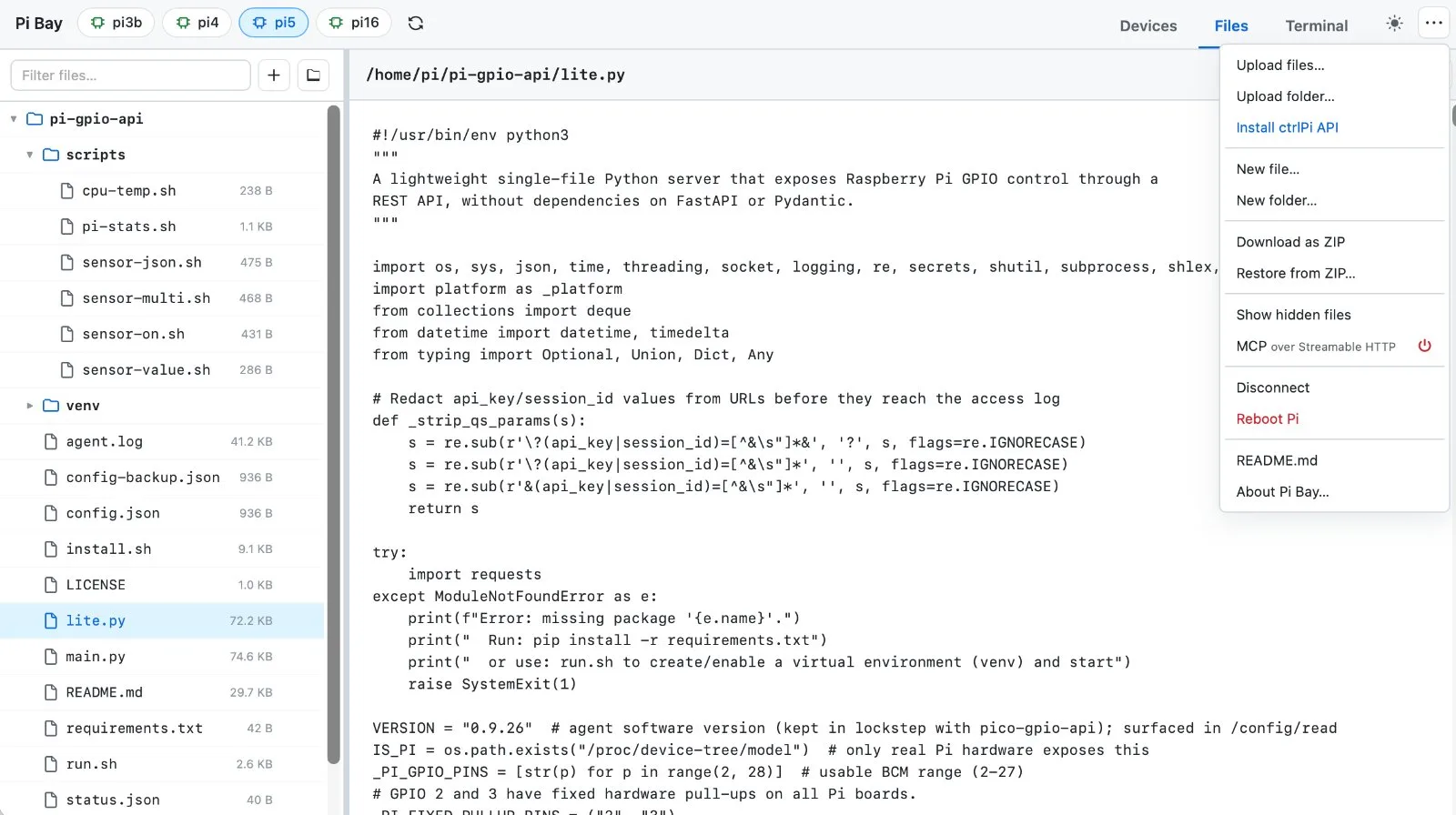
A single-file REST server on the Pi, Pico W, or ESP32 drives the pins: outputs, inputs, pull-ups, pulses with auto-revert, reversed relay logic, and webhooks on every change. Sensors too: point one at a small script and read temperature, humidity or anything else with one call. Same API across boards, clients never care which one answered.

Bridges: the control

Bridges bring your devices into Apple Home, Google Home, Amazon Alexa and any other Matter ecosystem, or any system you build yourself with the API. Lights, locks, garage doors, valves, sensors, buttons, all driven through the agents' API. Pair once, control from your phone, your watch, or your voice.

MCP: the brain

A zero-dependency Model Context Protocol server exposes the whole GPIO surface as tools. Ask Claude to scan your LAN for agents, flip a relay, pulse a pin, read a temperature sensor, or watch a door sensor, in plain language. It works with Claude Desktop, Claude Code and any other MCP client, over STDIO or HTTP.
How it works

Small pieces, one wire format

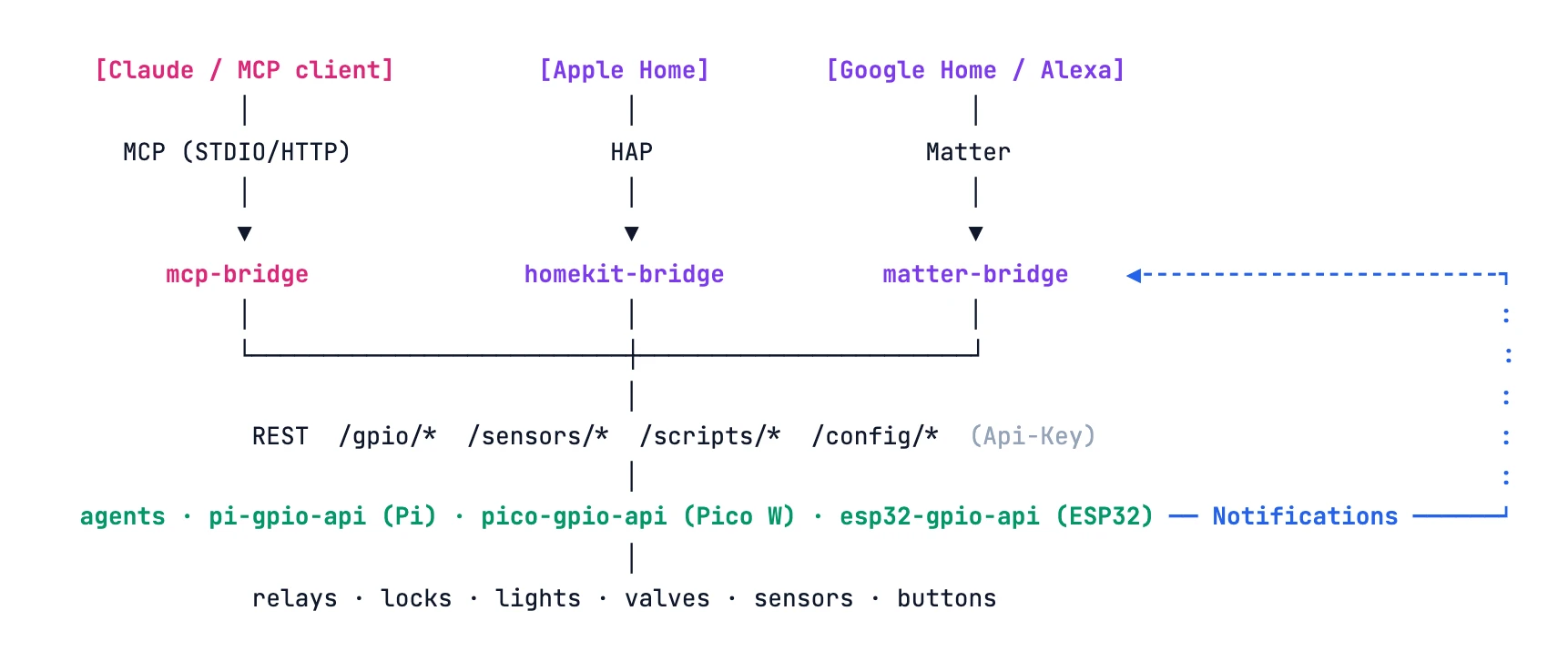
Every arrow below is plain HTTP with an Api-Key header, no hubs, no clouds required, everything on your LAN.

How ctrlPi fits together: Claude/MCP clients, Apple Home, and Google Home/Alexa talk over MCP, HAP, and Matter to the mcp-bridge, homekit-bridge, and matter-bridge; those drive the gpio-api agents over REST, and agents fire Notifications back to the bridges on every change.

Drop an agent on a board

One line install on a Pi, a Pico W or an ESP32 (MicroPython). It serves the same 16 REST endpoints on port 8314, persists pin config across reboots, and needs nothing else.

Wire your devices, config them once

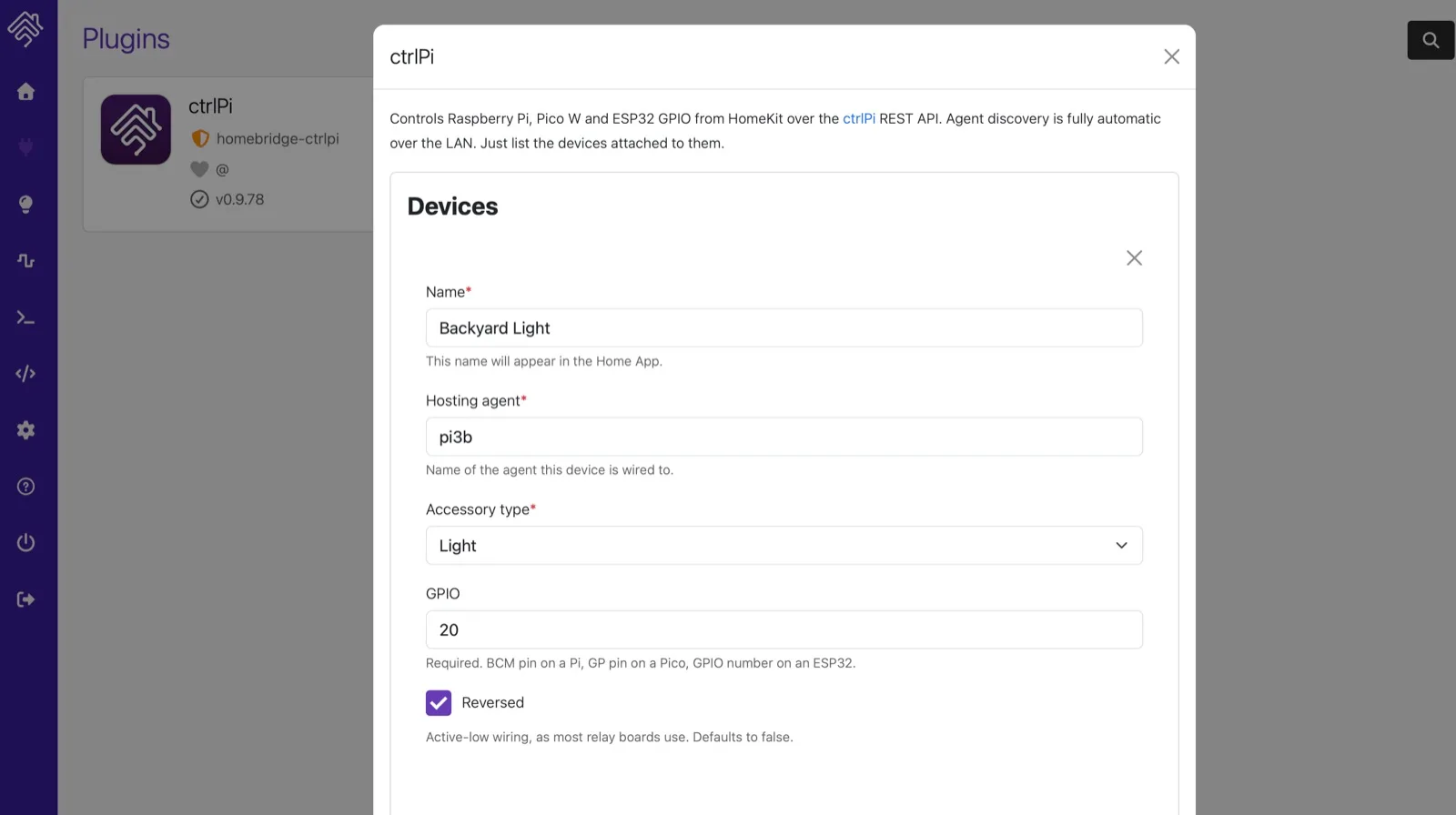
Relays and sensors connect to GPIO pins. The bridges' settings form names each device, "Porch Light, type light, GPIO 17, agent garage", and the plugin configures the pins over REST automatically.

Outputs act, inputs push

Outputs do the work: switch a relay on, light a lamp, open a valve for ten minutes, then let the agent revert it by itself. Inputs report back: when a watched pin changes, a door opens, a button is pressed, the agent fires a webhook instantly. Bridges turn it into a HomeKit/Matter event.

Let the AI drive, online brain 24/7

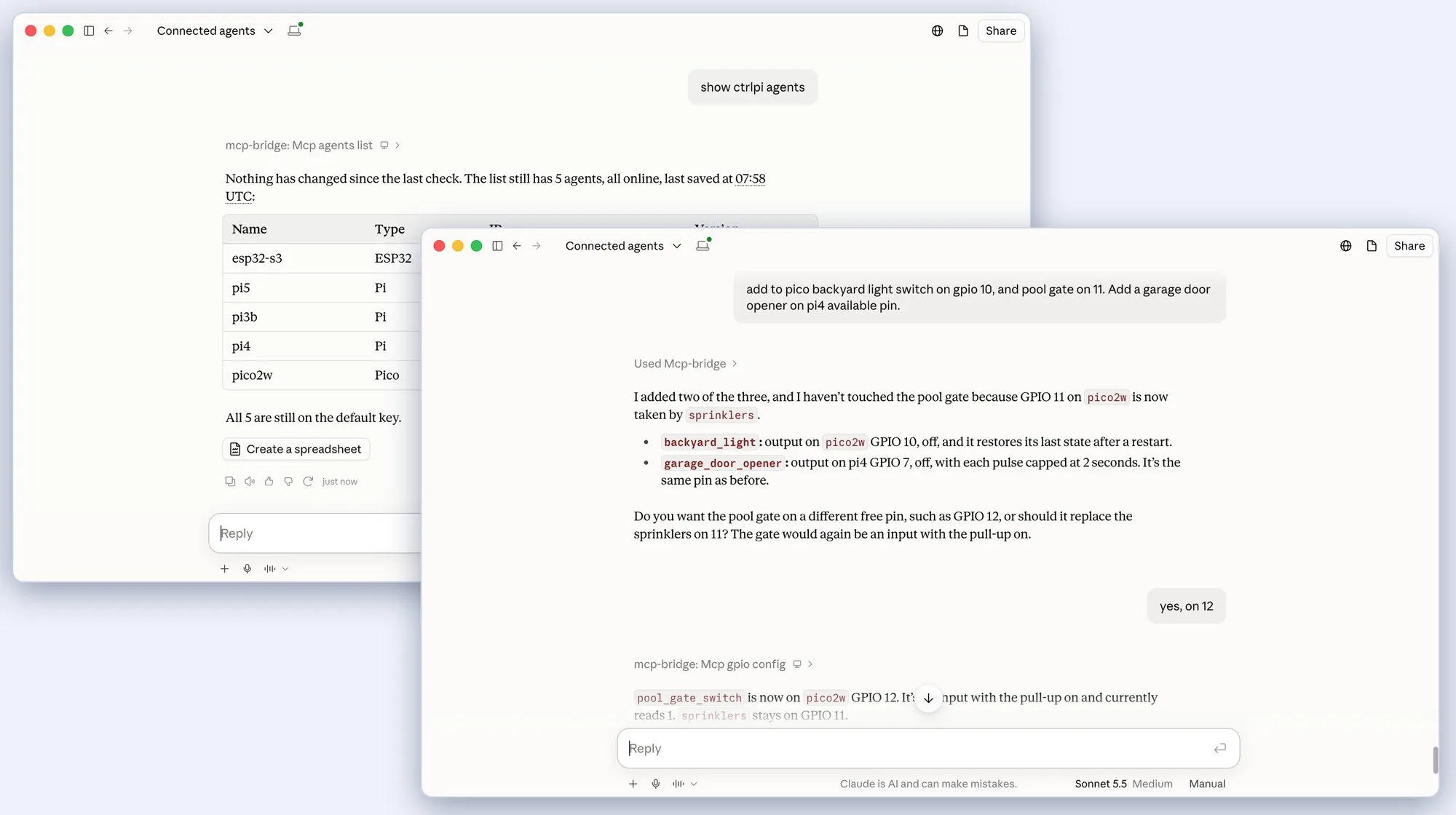
Point Claude Desktop at mcp-bridge and every agent becomes conversational: "which agents are online?", "pulse the garage door for 2 seconds", "show me the logs from shed-pico".

The packages

Ten tools, one family

Every project is standalone, MIT-licensed, and lives at github.com/ctrlpi, Node packages also ship on npm under @ctrlpi.

AGENT PYTHON

pi-gpio-api

The core REST server for Raspberry Pi A+/ B+/ 2/ 3/ 4/ 5/ Zero W/ Zero 2 W. One-liner install, API-key auth, mock mode on Mac/PC for development.

AGENT MICROPYTHON

pico-gpio-api

The same API on a $6 Raspberry Pi Pico W or Pico 2 W in MicroPython, one self-contained file, boots straight into serving.

AGENT MICROPYTHON

esp32-gpio-api

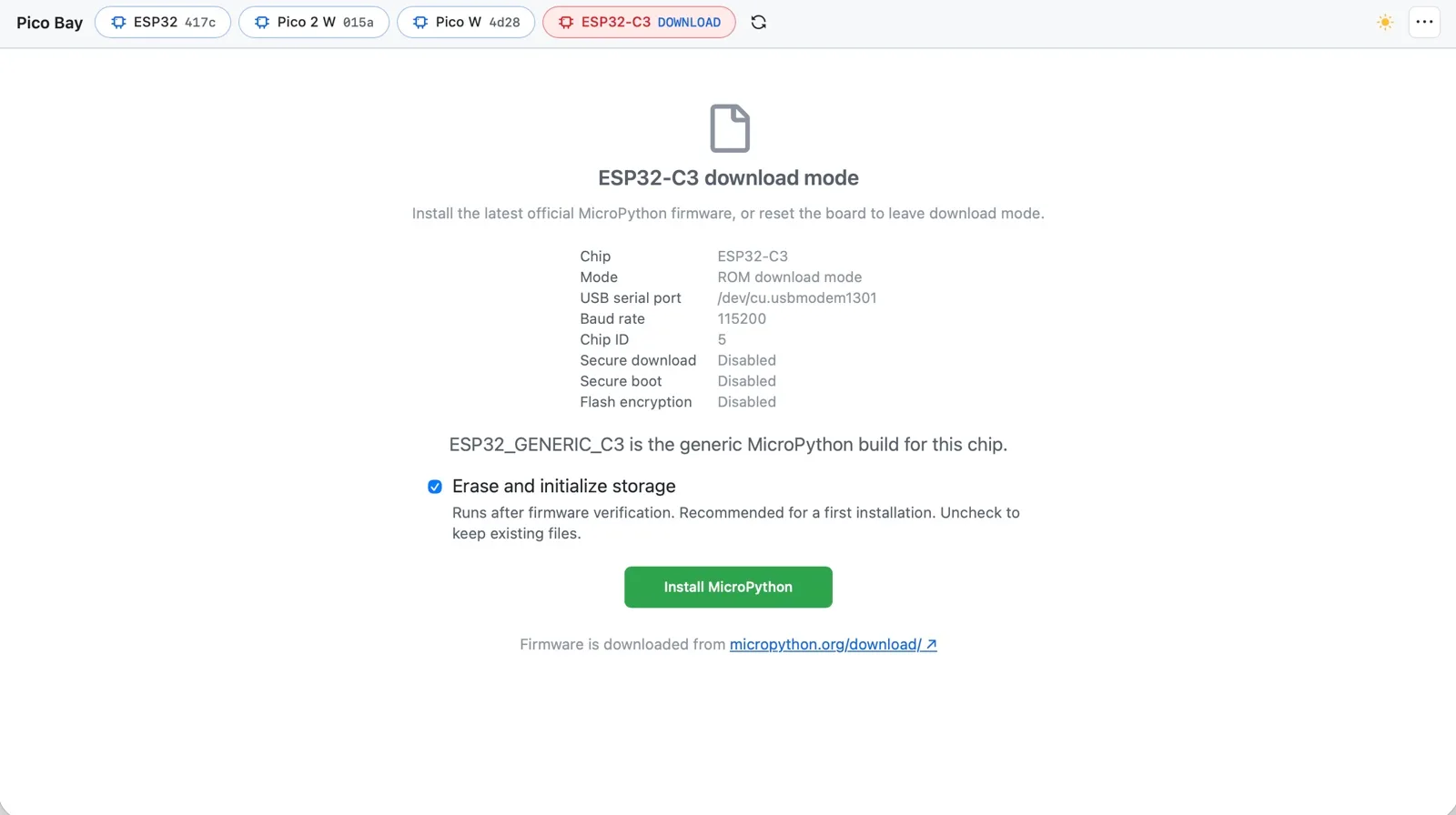
The same REST API on ESP32, ESP32-C3 and ESP32-S3 with MicroPython 1.29, pre-compiled bytecode, USB installer with Wi-Fi setup.

BRIDGE MCP NODE

mcp-bridge

An MCP server with 14 tools that let AI agents (e.g. Claude Desktop) control pi-gpio-api Pis, pico-gpio-api Pico Ws, or esp32-gpio-api ESP32s.

PLUGIN NODE

homebridge-ctrlpi

Already running Homebridge? One plugin, and your pins are in the Home app beside everything else. Configured from the Homebridge UI, no terminal.

BRIDGE MCP NODE

matter-bridge

A Matter-over-IP bridge, the same devices in Apple Home, Google Home, Alexa, and Home Assistant at once.

TOOL PYTHON

ctrlpi-cli

A portable Python CLI with zero dependencies. Discover agents, read and write GPIO, inspect sensors, and manage your setup from the terminal.

TOOL NODE

ctrlpi-lab

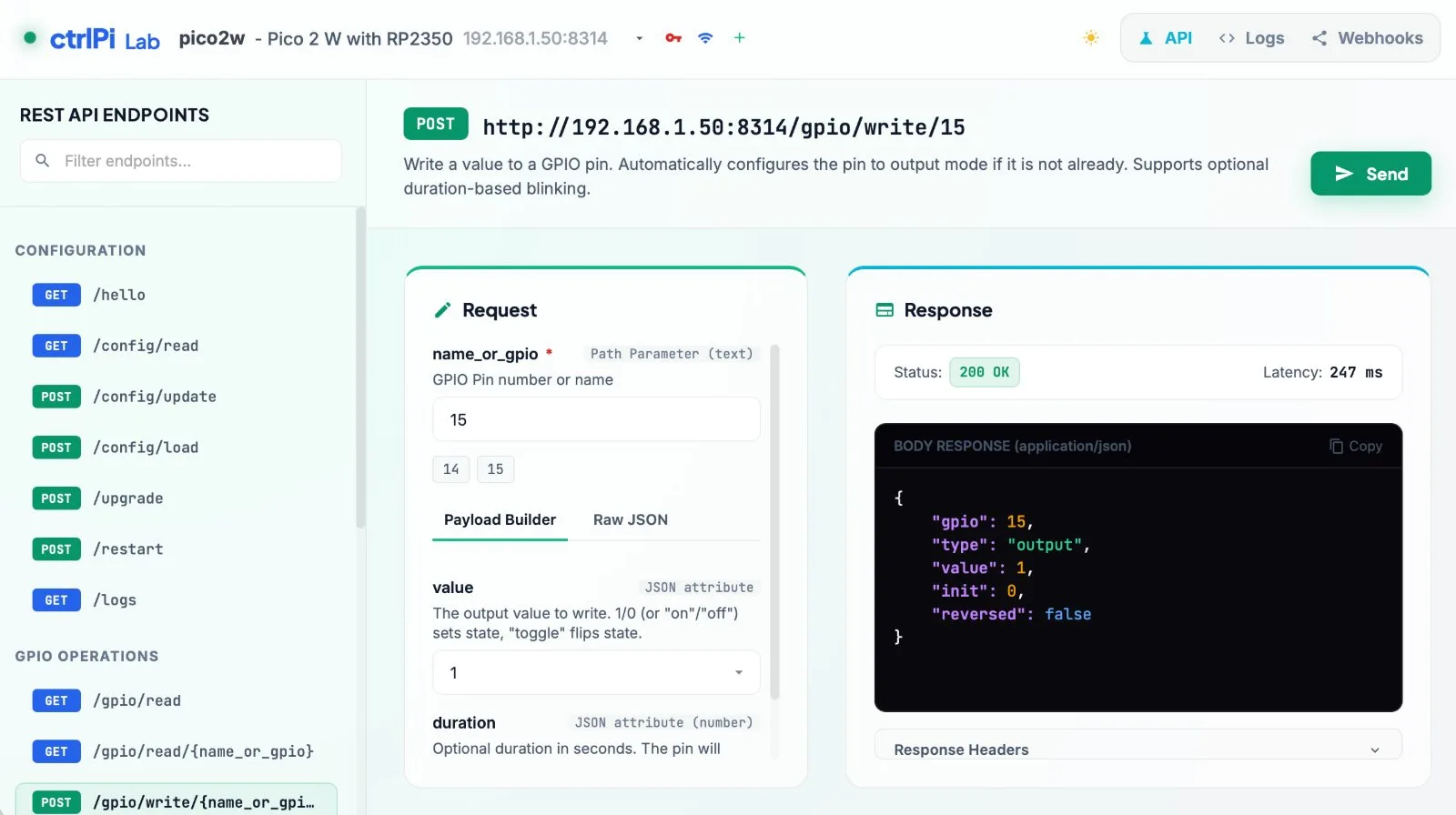
A local browser dashboard for your ctrlPi setup. Test GPIO and sensor endpoints, watch webhook events, and tail agent logs, with zero dependencies.

TOOL AI MCP NODE

pico-bay

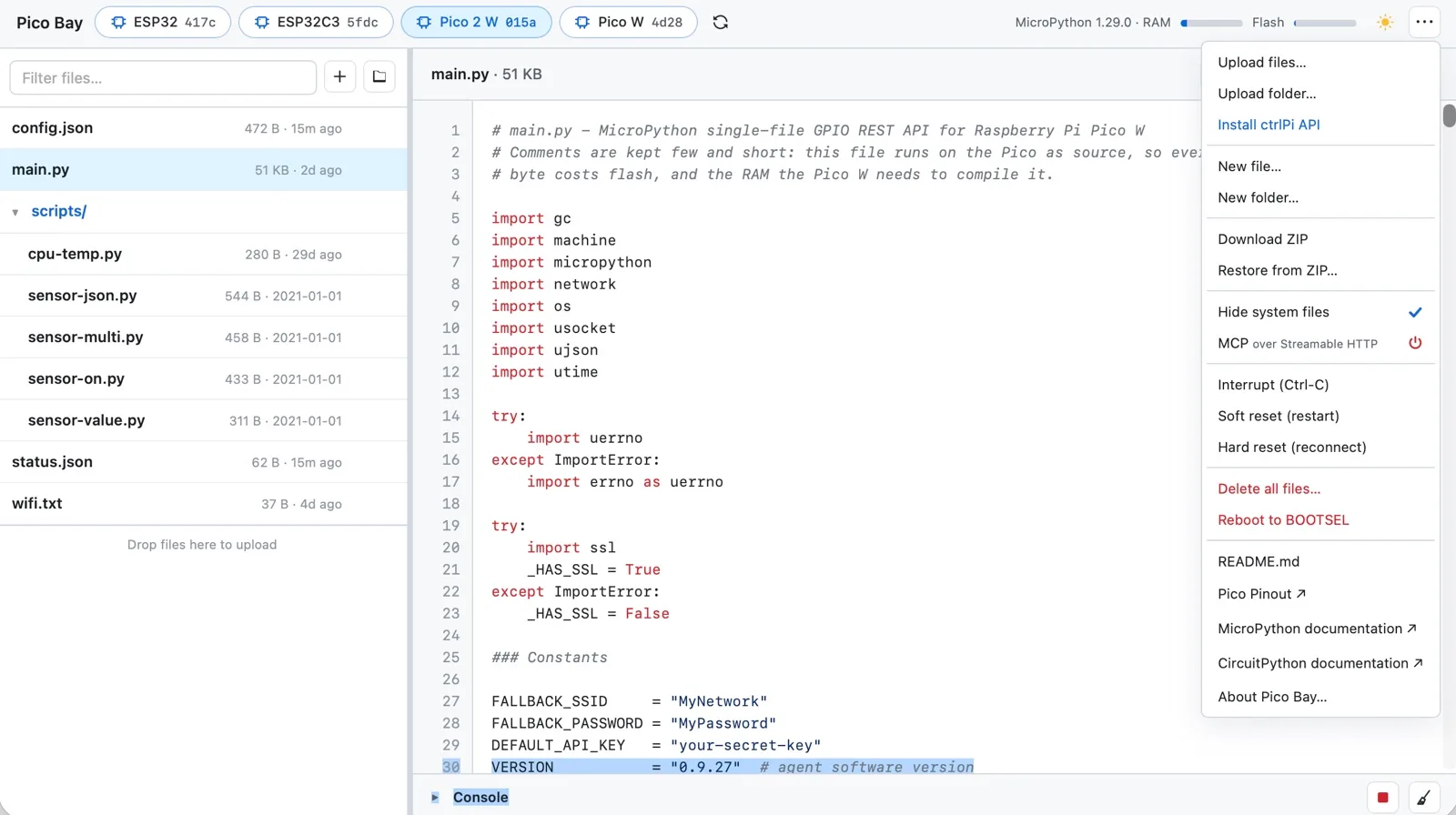
A local web app and MCP server for USB boards. Edit files, run Python, watch the console, and back up MicroPython and CircuitPython devices.

TOOL AI MCP NODE

pi-bay

A local web app and MCP server for Raspberry Pi boards. Discover Pis on your network, edit files, open a remote terminal, and manage your Pi remotely.

AI & MCP

"Claude, did I give enough water to my garden this week?"

Two lines to connect Claude to every agent on your LAN.

Add to Claude Desktop

Add an MCP entry that runs npx @ctrlpi/mcp-bridge, nothing to install. On first run it finds your agents.

{
  "mcpServers": {
    "ctrlpi": {
      "command": "npx",
      "args": ["-y", "@ctrlpi/mcp-bridge"]
    }
  }
}

Then just ask

Fourteen tools cover the whole surface, discovery, read, write, pulse, config, logs, restart:

  • "Which agents are online right now?"
  • "Turn on the porch light on backyard-pi."
  • "Pulse GPIO 26 for 5 minutes."
  • "Is the front door contact open?"
Early access

Stay in the loop

News and updates on packages and releases - no spam.